🚀 1.5.0


🚀 Features
✨ Feedback Campaign Management
We are thrilled to introduce a new capability in nAIxus: Feedback Campaign Management, empowering administrators to seamlessly collect user insights throughout any intelligent assistant scenario. Administrators can now create and manage feedback campaigns directly within the nAIxus console to capture Customer Satisfaction Score (CSAT) ratings. This marks the first step in a broader feedback strategy (NPS and binary feedback types coming soon).
Key Functionalities
-
Campaign Lifecycle:
A feedback campaign can be in one of three states:
- Draft – editable, but not yet active
- Published – active and available for feedback collection
- Closed – archived and no longer accepting responses
-
Embedded Feedback Collection:
Via a new dedicated step-block, administrators can prompt users for feedback at any point in a process, by linking to a published campaign.
-
Campaign Analytics Dashboard:
Track:
- Number of feedback requests sent and responses received
- Response breakdown (score distribution from 1 to 5)
- Real-time CSAT score
- Anonymous comments with timestamps
- Scenario traceability: where and when feedback was collected
Smart Design, Future-Ready
- Fully integrated into scenario flows via drag-and-drop blocks
- Alerts guide the admin if an unpublished campaign is selected
- Designed with extensibility in mind: future updates will support timed expirations, additional feedback types (NPS, binary), and enhanced data visualizations (e.g. average score heatmaps per scenario)
This new feature reinforces nAIxus' mission to combine predictive, generative, and soon agent-based AI with robust user-centric insights—allowing your assistant to learn, adapt, and improve continuously.
Let us know how you feel about it 😉
✨ NLP Training Import Feature Update
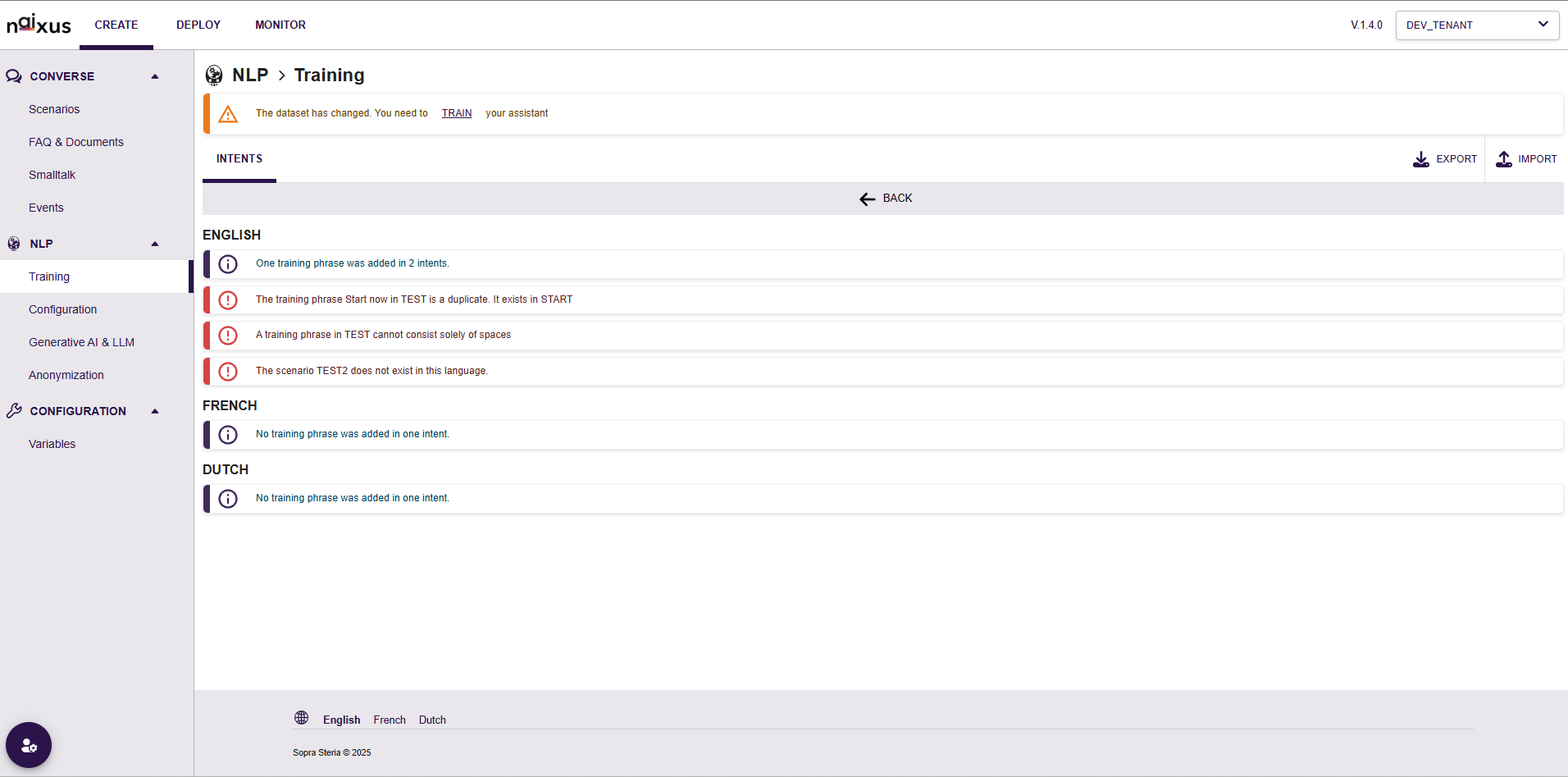
We are pleased to announce enhancements to the NLP Training Import functionality in our latest release:
Improvements:
- Enhanced validation checks for imported training phrases, providing clearer, actionable feedback to users.
- Multilingual support now distinctly organized by classifier enabled locales, facilitating easier management of language-specific intents.
Validation Enhancements:
- Duplicate Detection: Training phrases existing in multiple intents are now clearly flagged.
- Whitespace Validation: The system now prevents importing training phrases composed solely of whitespace characters.
- Scenario Validation: Users are clearly informed if a referenced scenario does not exist in the specified language.
We recommend reviewing your NLP data following import to ensure accuracy. As always, remember to retrain your virtual assistant after modifying the NLP training data.
✨ Omnichannel Updates
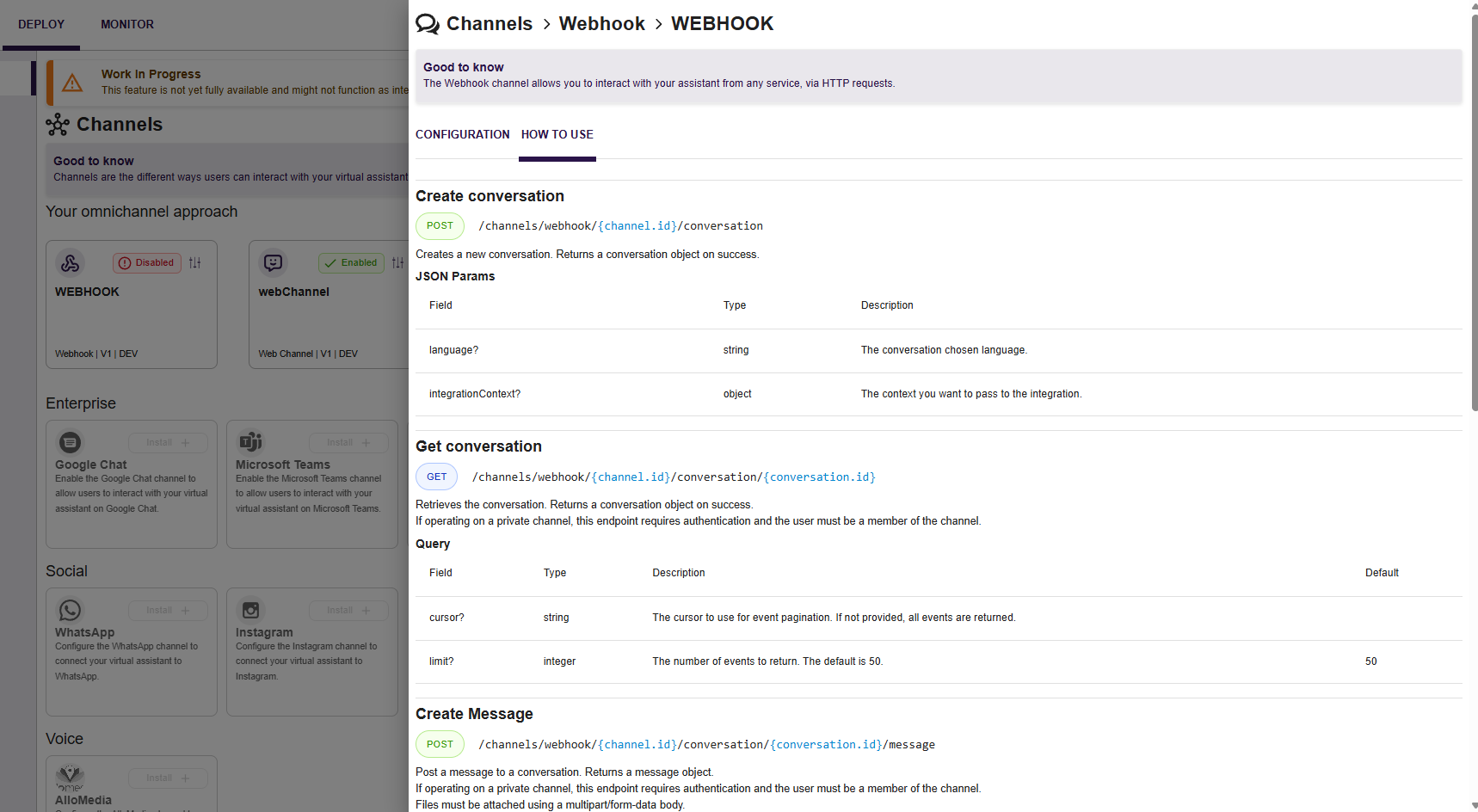
Webhook Channel: API guide documentation is now directly available within the "How to Use" tab, enhancing ease of integration. Please note the documentation is only available in English.
🌟 Improvements
- Intents Management: Users can now update utterances directly within intents.
- Session Management (INTL): The cookie containing the registered locale is now session-linked and stored under a specific Storage key. This should remove the behavior where application would reconnect in Dutch.
- Scenario Builder: Added INTL support to the Scenario Builder menu. Now forbid user to loop on the same SAY block avoiding crash.
- Transcripts : Added full date to the transcript details to manage users talking on several days.
- Dutch (NL) translations have been thoroughly reviewed and updated.
🐛 Fixes
- Scenario-RAG: Resolved an issue where the outputs list was not displayed when using a RAG block.
- Fixed issue where duplicate utterances Error was thrown by the server when the provided utterance was a part of another intent training
- Fixed issue where block could not be dupplicated in another scenario
- Resolved an issue where sometimes the interface would freeze in loading mode after returning from Scenario module to the scenario list.