Anonymization
Introduction
The anonymization is the action to filter some data contained in a message by replacing them with a generic text.
The anonymization feature allows to filter data that is sent to the classifier and the conversational data that is kept in the history. This page allows you to create rules to chose the data that will be anonymized.
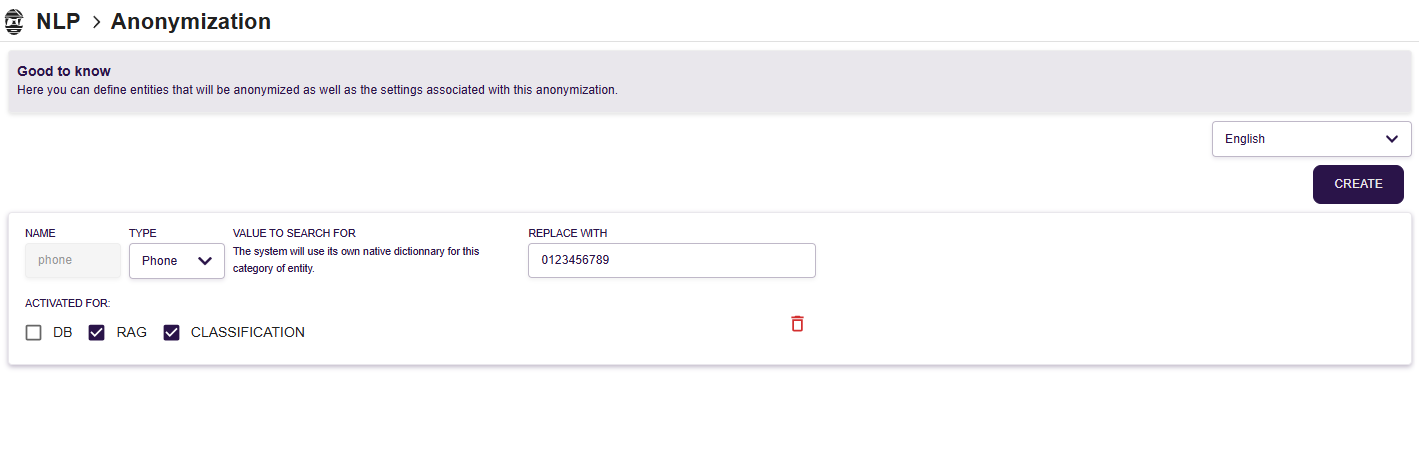
General settings for anonymization
The anonymization can be enabled for :
- data sent to the RAG system
- data sent to the AI classifier
- data saved in the database
Declaring anonymization rules
The different types of entities which can be detected are the following ones :
- List
- Regex
- Date
- Time
- Phone
- Number
- Currency
- URL
- Name
- Address
- City
- Country
- Location
- Timezone
- Language
Except for List and Regex, the system will use its own native dictionnary for these categories of entity.
List of entities
During the anonymization phase of a message, nAIxus replaces each entity corresponding exactly (except case) to one of the entries of the list by its corresponding replacement text.
You can create a rule manually with the CREATE button.
An entry is composed of different elements :
- NAME : Used to name the anonymization rule eg. Lastname, Firstname, ...
- TYPE : List
- VALUE TO SEARCH FOR : When anonymizing the message, everytime the system recognizes the entry in the user input, it will replace it by the corresponding replacement text. You can add as many entries as you want.
- REPLACE WITH : After going through the anonymization algorithm, the original will be replace by this text
Regular Expression
When anonymizing a message, nAIxus applies the regular expressions. The matches found are replaced by the associated replacement text.
To create a new rule, click on the CREATE button. A rule is composed of different elements :
- NAME : Used to name the anonymization rule eg. RIB, ...
- TYPE : Regex
- VALUE TO SEARCH FOR : Each part of message fitting with this regular expression will be anonymized.
- REPLACE WITH : After going through the anonymization algorithm, the original will be replace by this text
Recommendations
It is recommended to select a replacement text of the same format than the original information, to allow the cognitive provider to correctly classify the anonymized sentence.
Example:
Correct : replace every E-mail address by john.doe@example.org
Not Correct : replace every E-mail address by <Anonymized E-mail address>
It is also recommended to be careful not to chose a replacement text that can be anonymized by another rule.
Example:
Not correct :
Rule 1: Replace every phone number by 01 23 45 67 89 Rule 2: Replace every number by 0