Step 1 - Configure your AI
NAIxus use 2 different AI configuration in both administration and conversation :
- AI Classifier to detect the intent of the user and trigger the right scenario, the NLP (Natural Language Processing) configuration
- Generative AI to generate some contents, the LLM (Large Language Model) configuration
It is then important to start by configuring these configurations.
NLP Configuration
Create > NLP > ConfigurationStart by configuring the NLP engine you want to use. You can also adjust the possible recognition threshold and the definite score threshold to improve the accuracy of the intent detection.
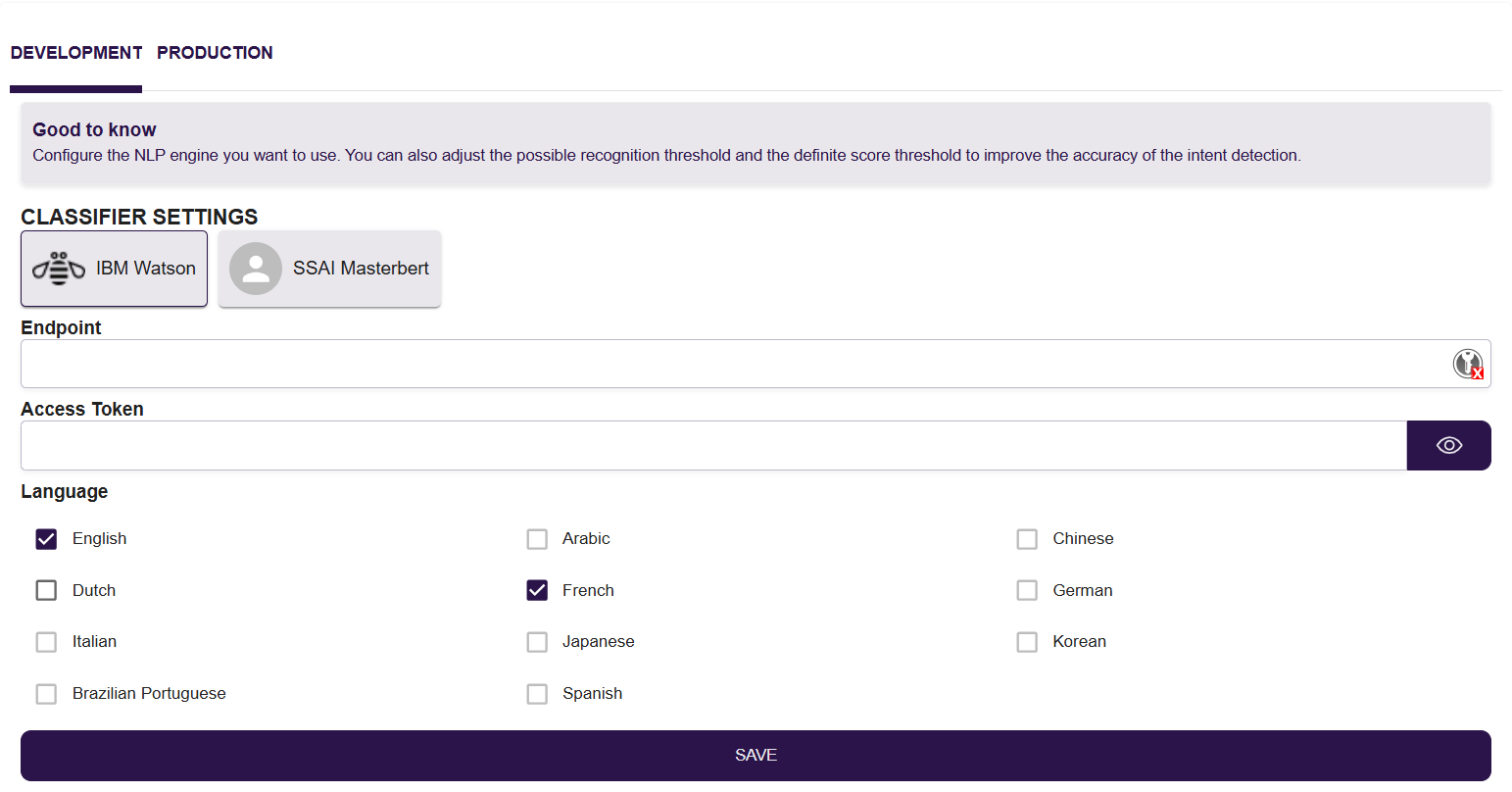
Here you can choose the AI Classifier that will be used and the language that will be managed. In V1, nAIxus support IBM Watson and SSAI Masterbert (our own classifier).
Please contact your nAIxus contact to obtain the credentials to use.
Gen AI & LLM Configuration
Create > NLP > Generative AI & LLMGenerative AI is a new AI tool that allows you to generate content. You can control when and how to use it in your virtual assistant.
Select the provider you want to use for Generative AI and the model associated. In V1, nAIxus support WatsonX and OVH connection.
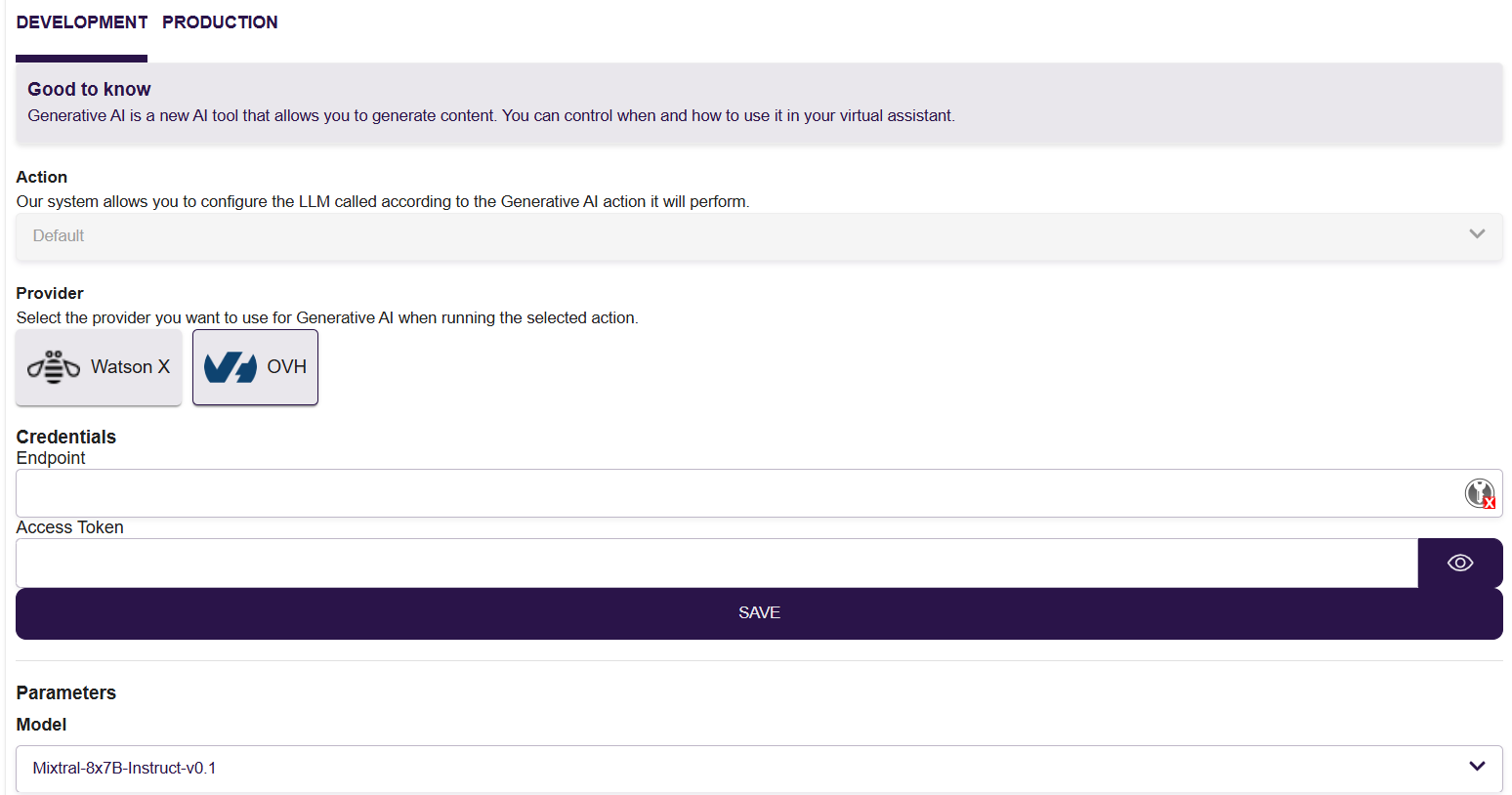
Please contact your nAIxus contact to obtain the credentials to use if you don't have your own.