Training
Intents are the actions that your virtual assistant can perform. They are the tasks that your virtual assistant can help users with. Each intent is a collection of utterances that users might say to perform the task. The NLP engine uses these utterances to understand the user's intent and trigger the corresponding action.
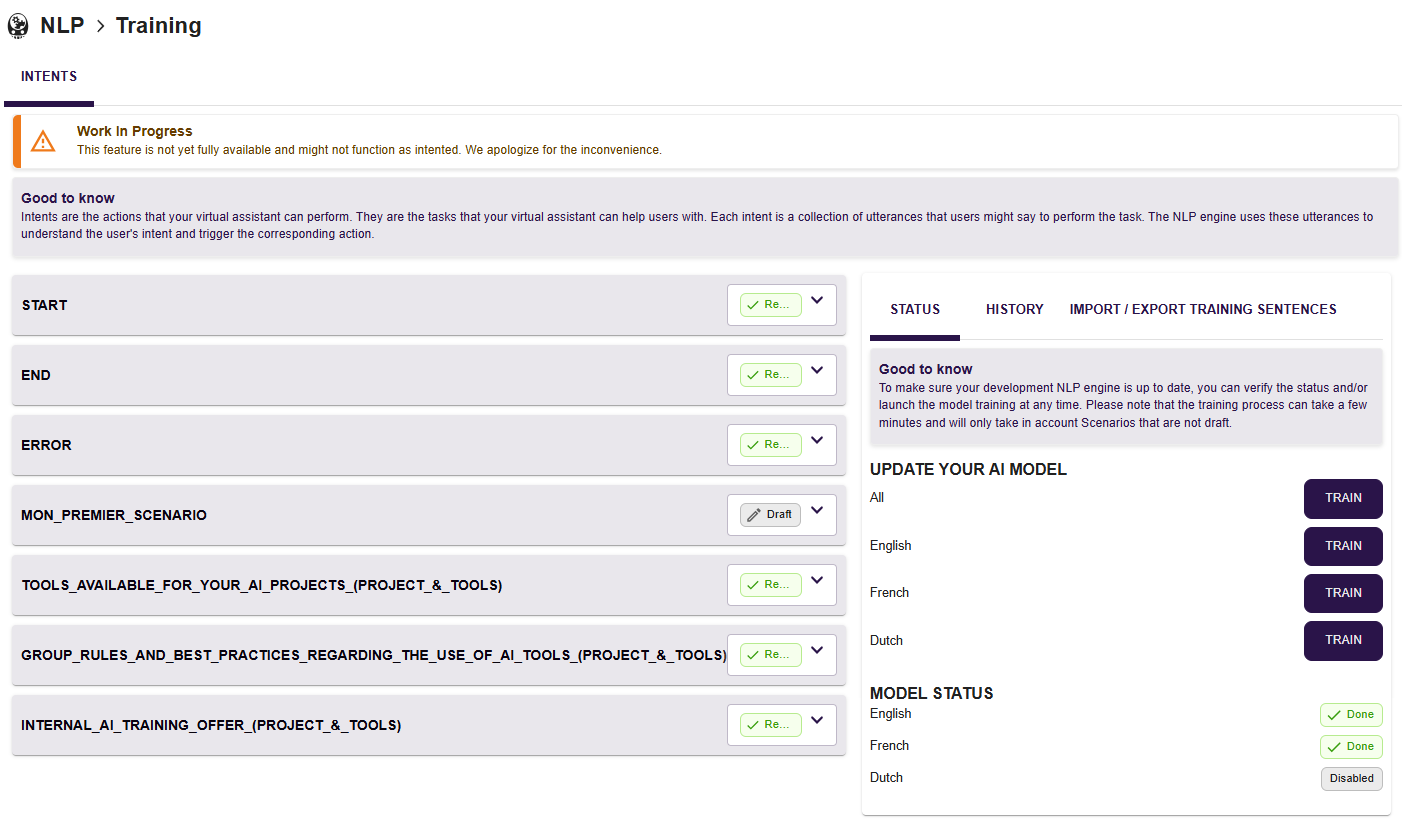
Train a scenario
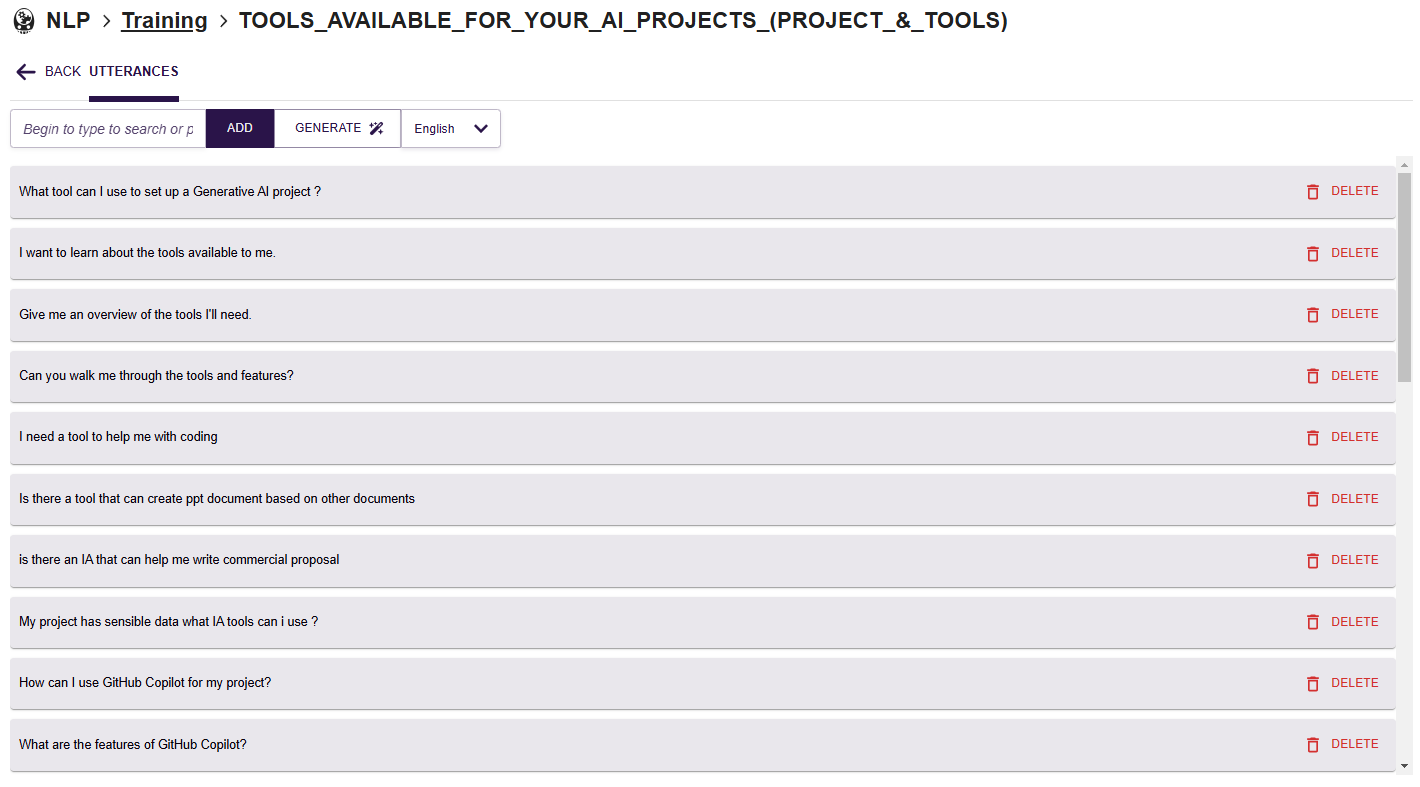
Each scenario is linked to a single intent. For each intent, you can either add manually a utterance or use the generating tool.
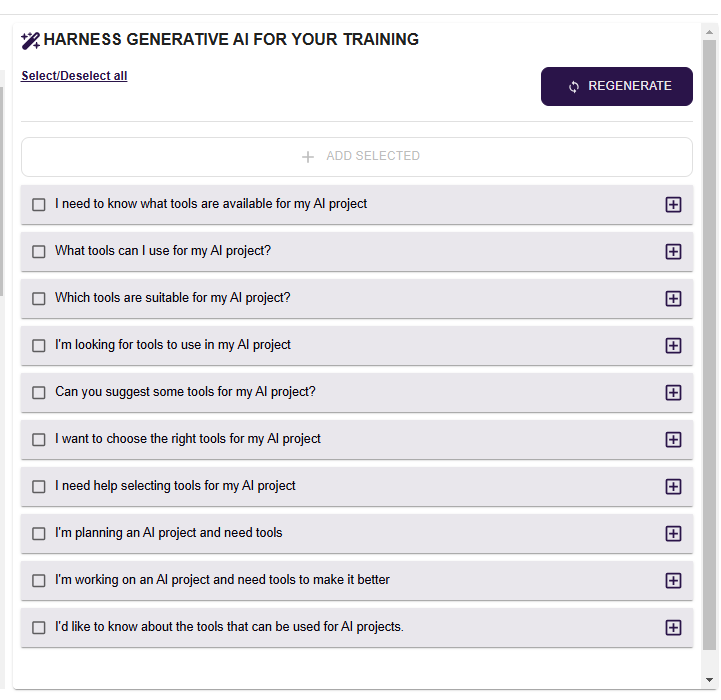
The generation use the LLM and the title of your scenario to propose some utterances that you can choose to add to your training.
Status
To make sure your development NLP engine is up to date, you can verify the status and/or launch the model training at any time. Please note that the training process can take a few minutes and will only take in account Scenarios that are not draft.
Be careful, only scenarios tagged as ready will be trained by the AI engine.
History
On the history tab, you can check every training performed with the date and status for every language.
Import / Export Training sentences
You have the possibility to export all your training data. It will be downloaded as an Excel file that you can modify and re-import later.
Recommendations for Training
- Check that the training of one intent is not similar to another
- Do not add sentences that may correspond to several intents so as not to have an imbalance between them
- Do not use dots . to name your intents
- Use precise names that can be easily searched and interpreted by everyone working on nAIxus