🚀 What’s new | 1.0.0


Enhanced Scenario Creation and Generative AI Integration
Dynamic Scenario Building: Users can now create detailed conversational scenarios in the "Converse > Scenarios > Create" section. This feature supports intuitive creation and management of dialogue sequences, enabling users to define and refine conversational flows effectively.
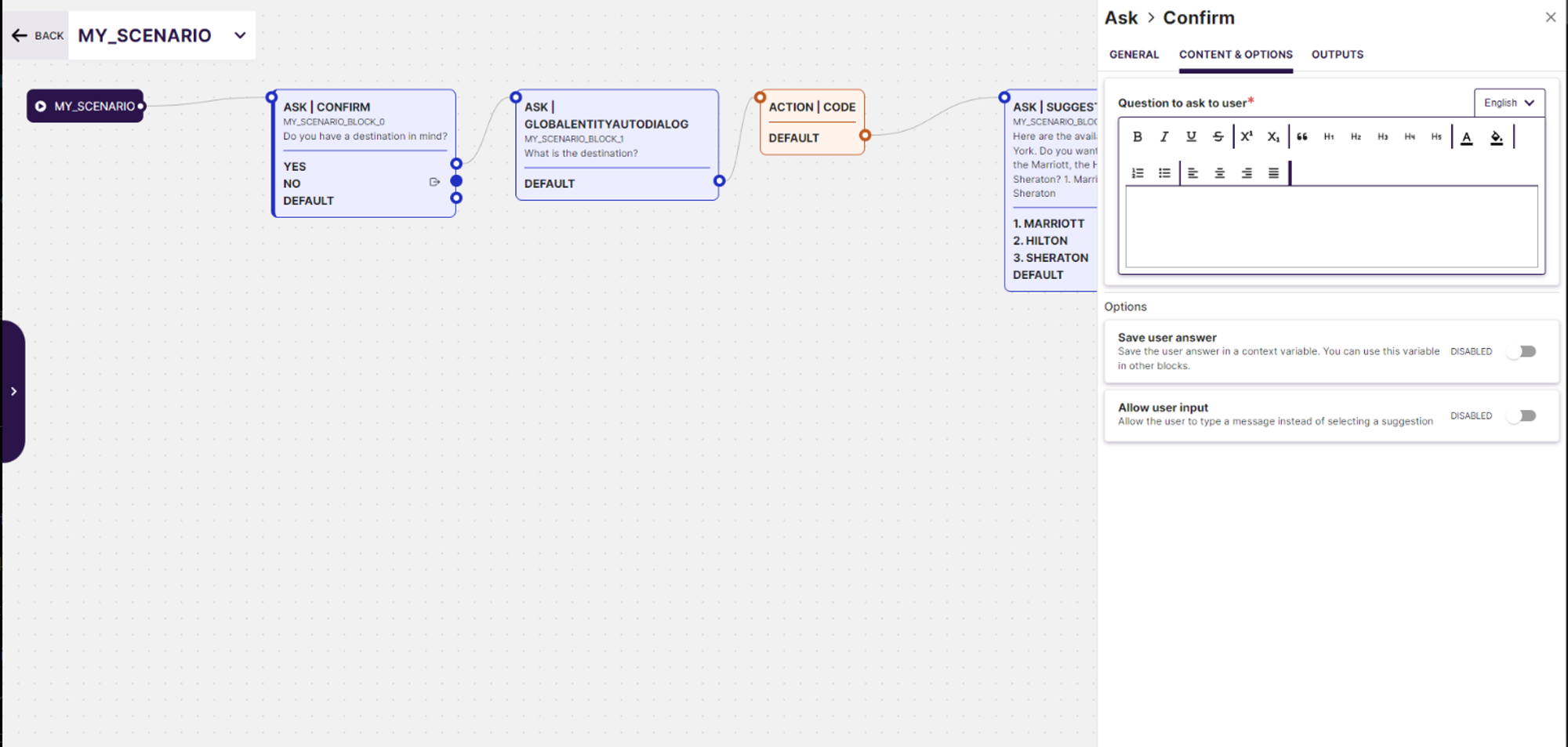 Generative AI Preview: Leverage cutting-edge Generative AI technology to automatically generate dialogue previews based on specified use cases. This tool helps visualize and optimize the conversation flow before finalizing the scenario, ensuring a more effective user interaction.
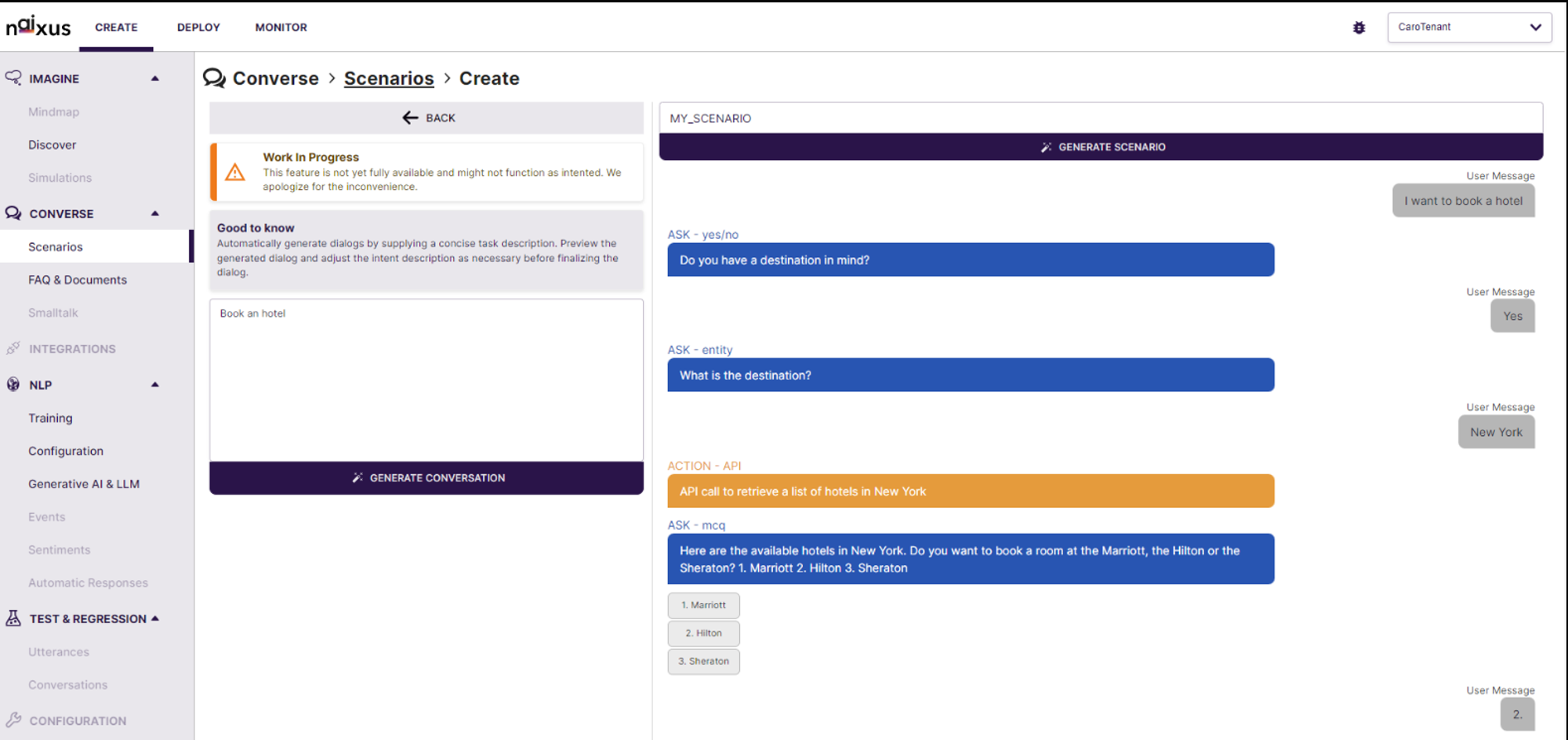 Real-time Editing and Simulation: The interface provides real-time editing capabilities along with a simulation environment that shows how the AI will interact in various conversation scenarios. Users can immediately test and tweak the generated dialogues, enhancing the development process and ensuring higher accuracy and relevance in real-world applications.
Comprehensive FAQ & Documents
Provides a dedicated area for FAQs and document storage, facilitating better knowledge management and access.
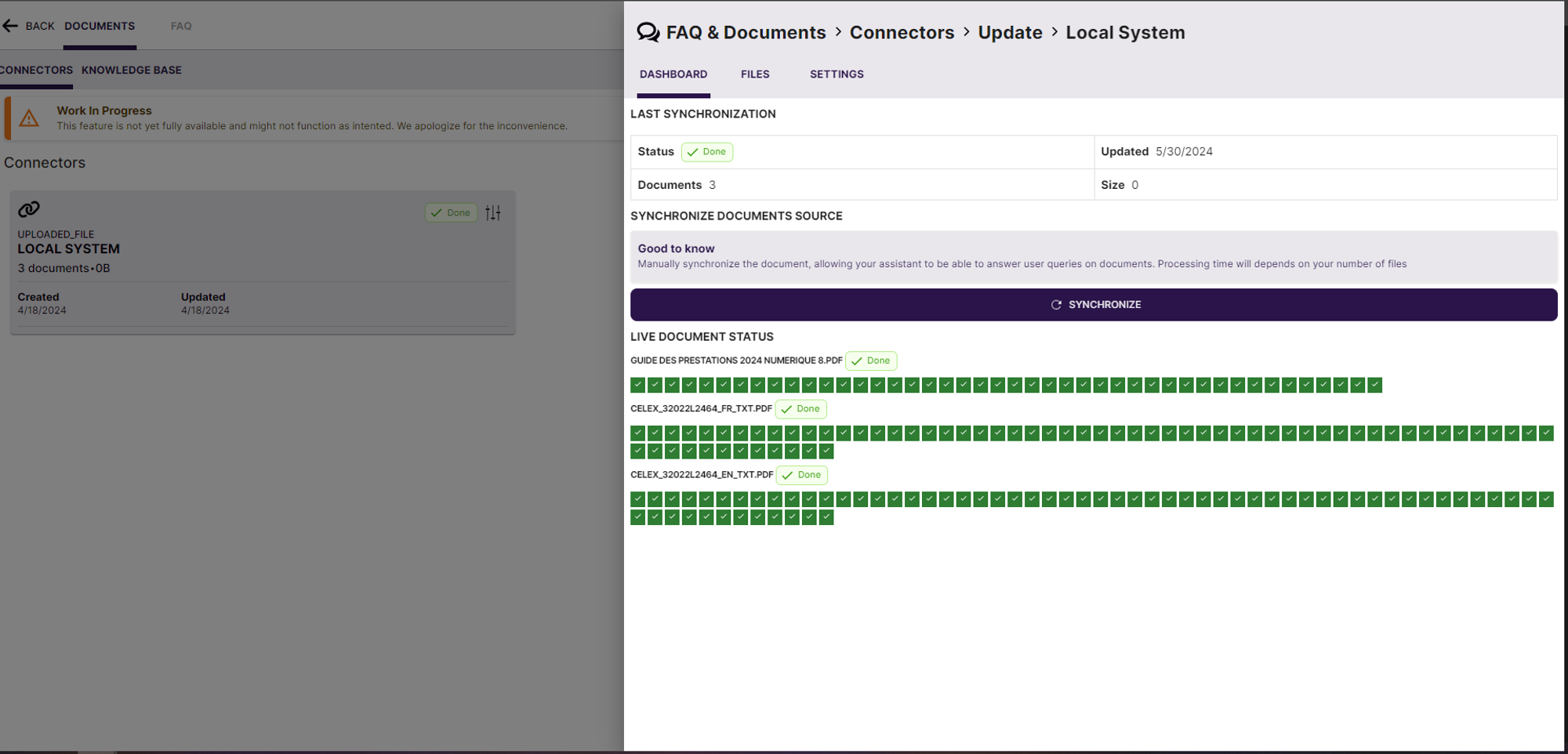
Real-Time Document Synchronization: Introduced a robust document synchronization system within the "FAQ & Documents > Connectors > Update > Local System" module. This feature supports real-time updates and status tracking of document ingestion processes, enhancing data integrity and accessibility.
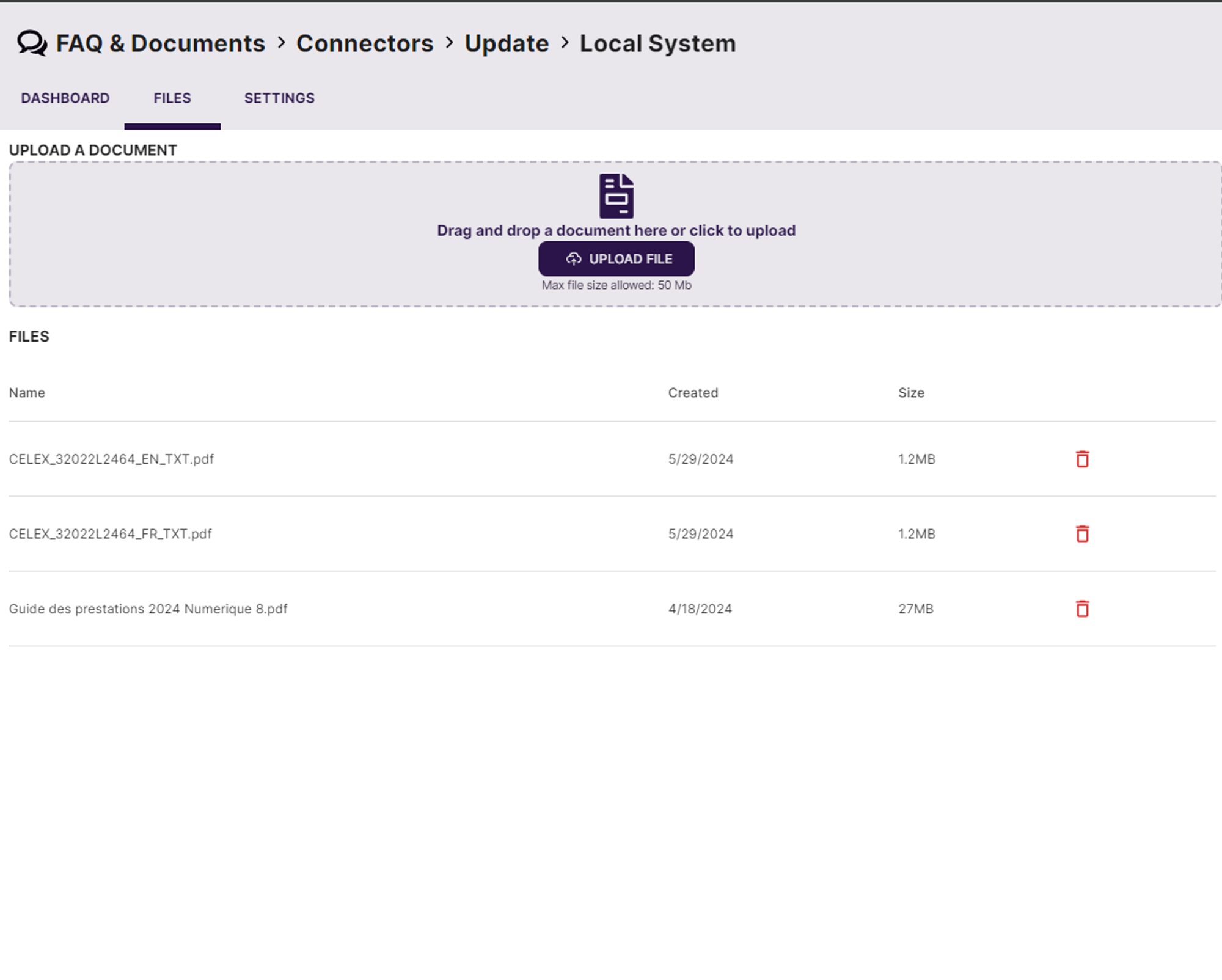
 Enhanced Document Upload Capabilities: Users can now upload documents easily through the "Files" tab, which supports drag-and-drop functionality, increasing usability and efficiency in document management. The system accepts a wide range of document formats, ensuring compatibility and flexibility.
 Connector Configuration Panel: The newly implemented connector configuration panel allows users to configure and manage settings for different document sources, such as local system uploads. This panel includes features for manually synchronizing documents, providing clear feedback on the synchronization status of each document, thereby facilitating better content management and quicker updates.
New Advanced Analytics Dashboard Module
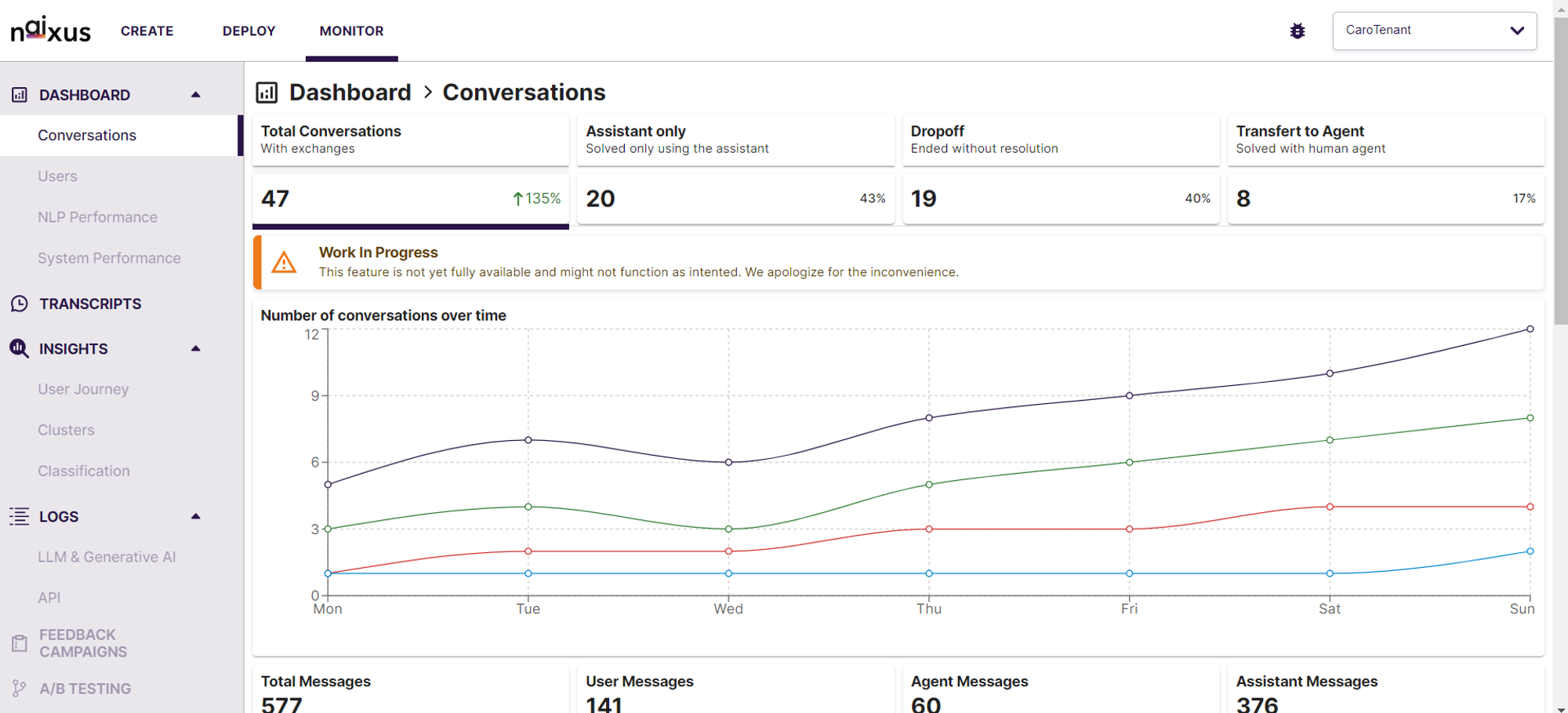
An advanced analytics dashboard module designed to enhance user experience through in-depth interaction analysis and performance monitoring. This new feature provides a comprehensive overview of conversation metrics, displaying an overall increase in user interactions with a detailed breakdown of resolution outcomes—Assistant Only, Transfer to Agent, and Dropoff scenarios.
Key functionalities include:
- Trend Analysis Over Time: Track the number of conversations and message exchanges across different days of the week to understand peak interaction times and assess assistant performance.
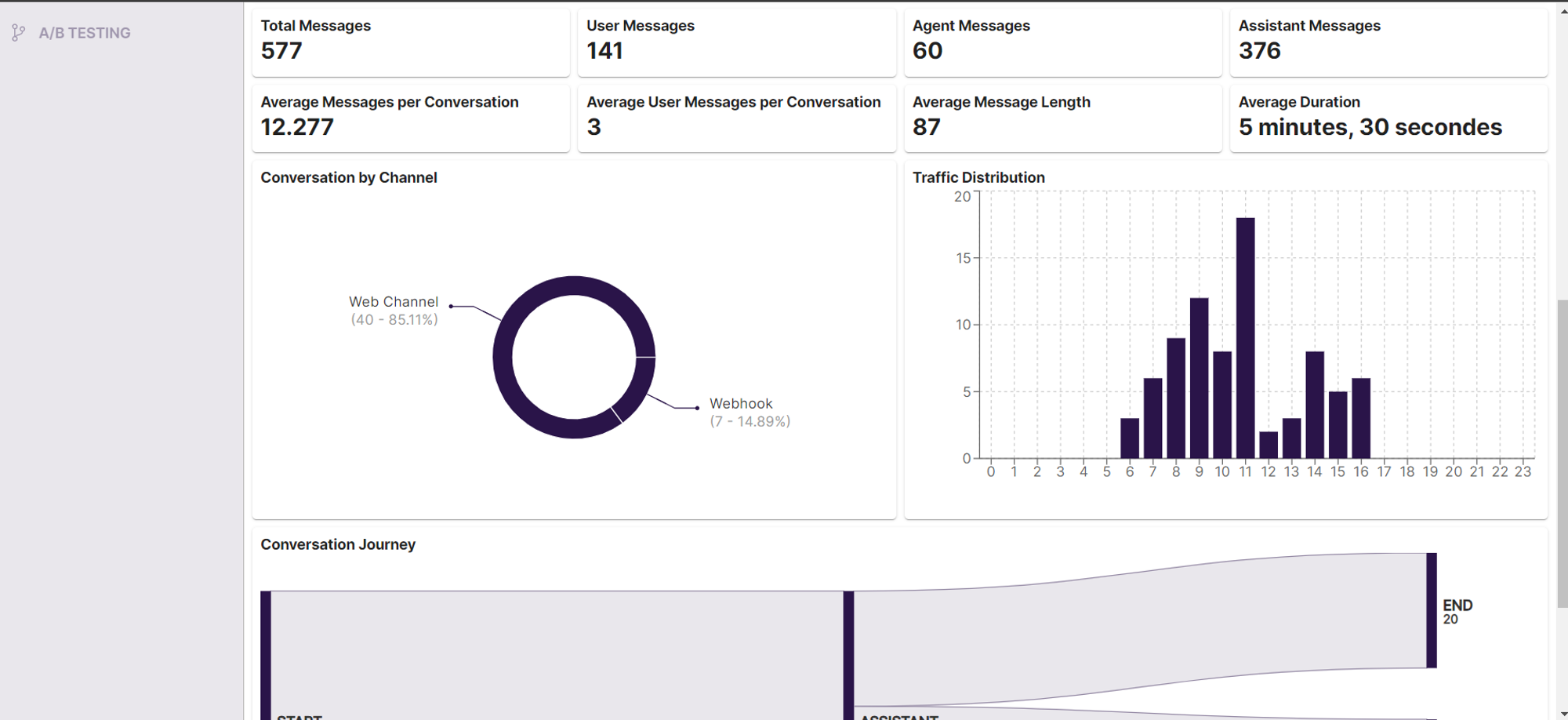
- Channel and Traffic Distribution: View the distribution of conversations across different channels such as Web and Webhook, along with traffic analysis to understand user engagement patterns.
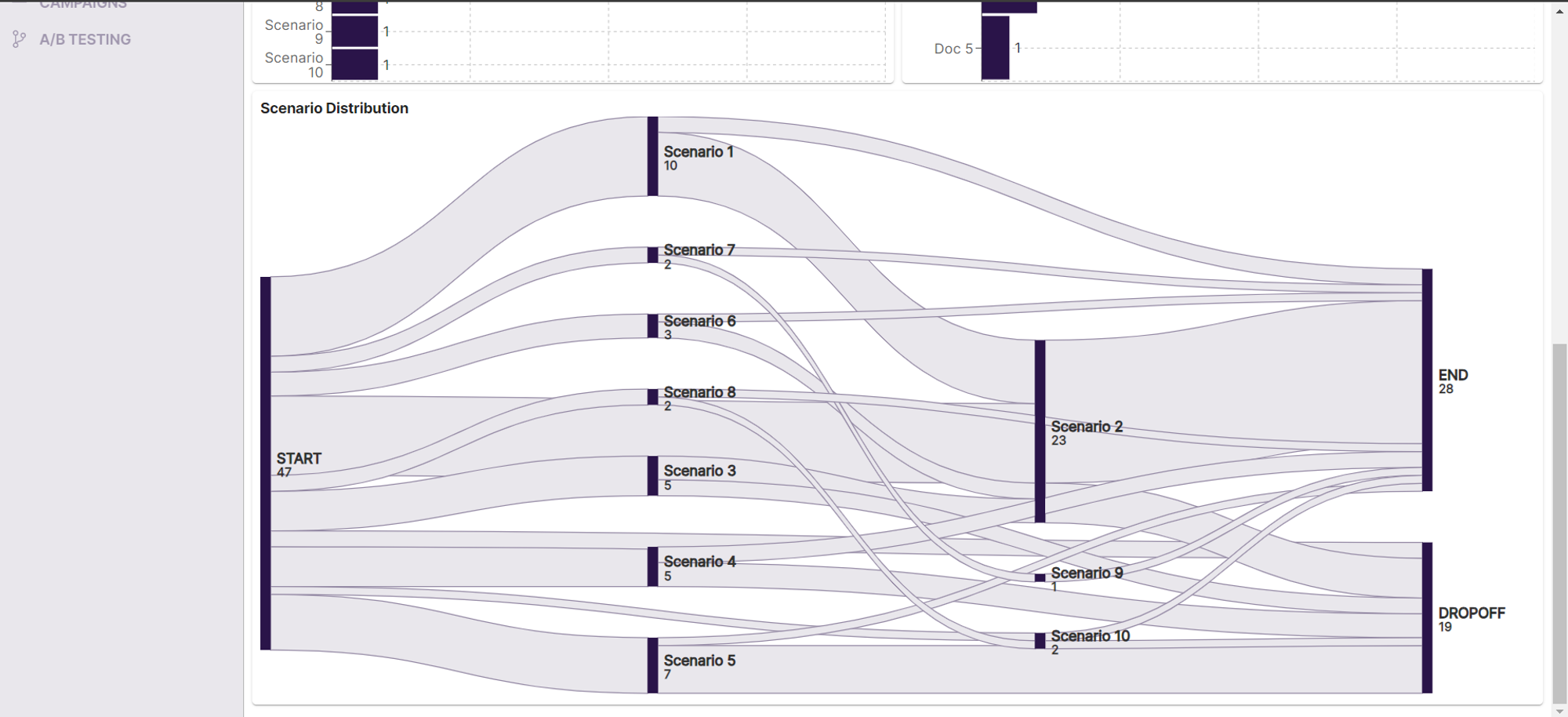
- Conversation Journey Mapping: Visualize the complete user journey from conversation initiation to conclusion, with insights into common drop-off points and transfers to human agents, facilitating targeted improvements.
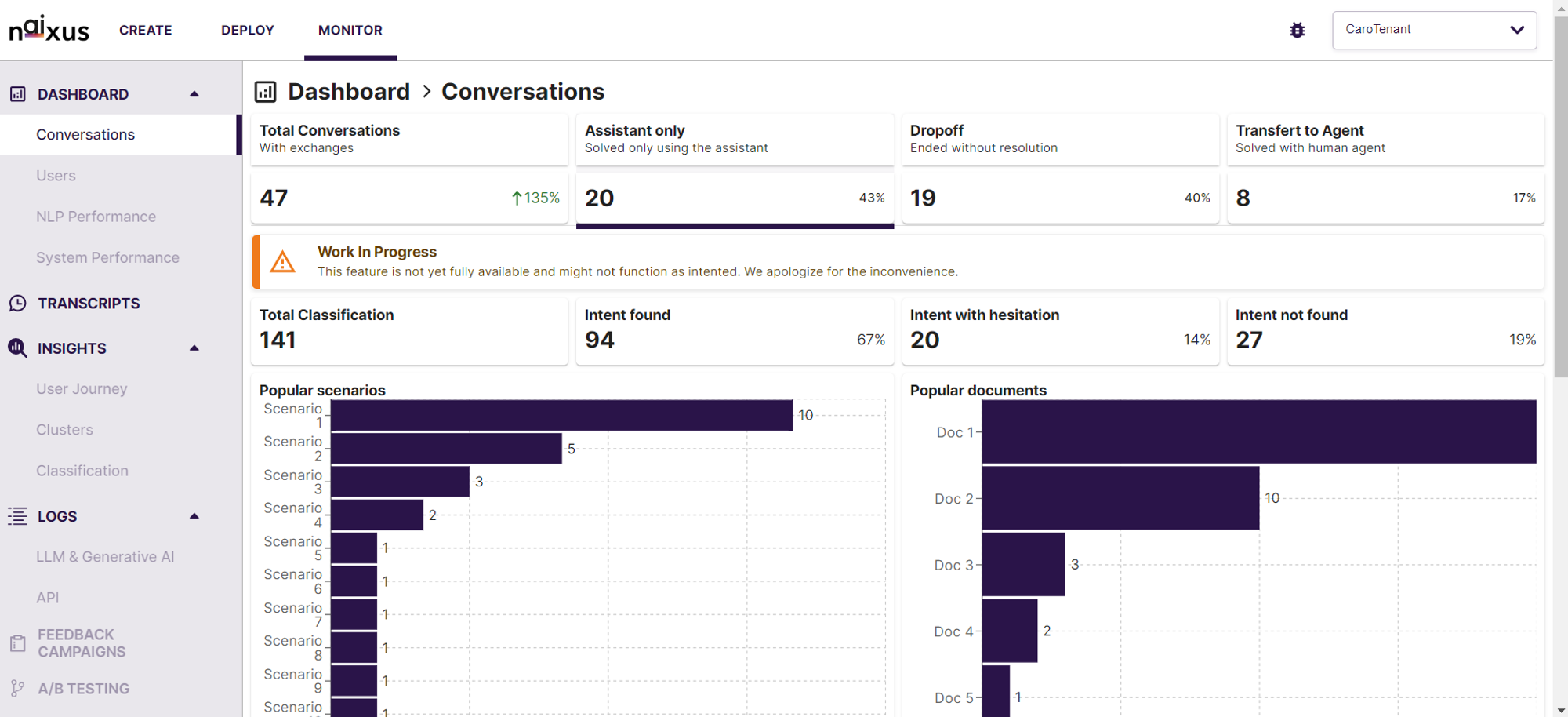
- Scenario and Intent Analysis: Analyze which scenarios are most commonly encountered and the effectiveness of the assistant in recognizing user intents, enhancing the training of the assistant for better accuracy and efficiency.
Transcripts Monitoring Module
designed to provide users with detailed insights into customer interactions, enhancing the ability to monitor, analyze, and optimize conversations.
Key Features of the Transcript Monitoring Module:
-
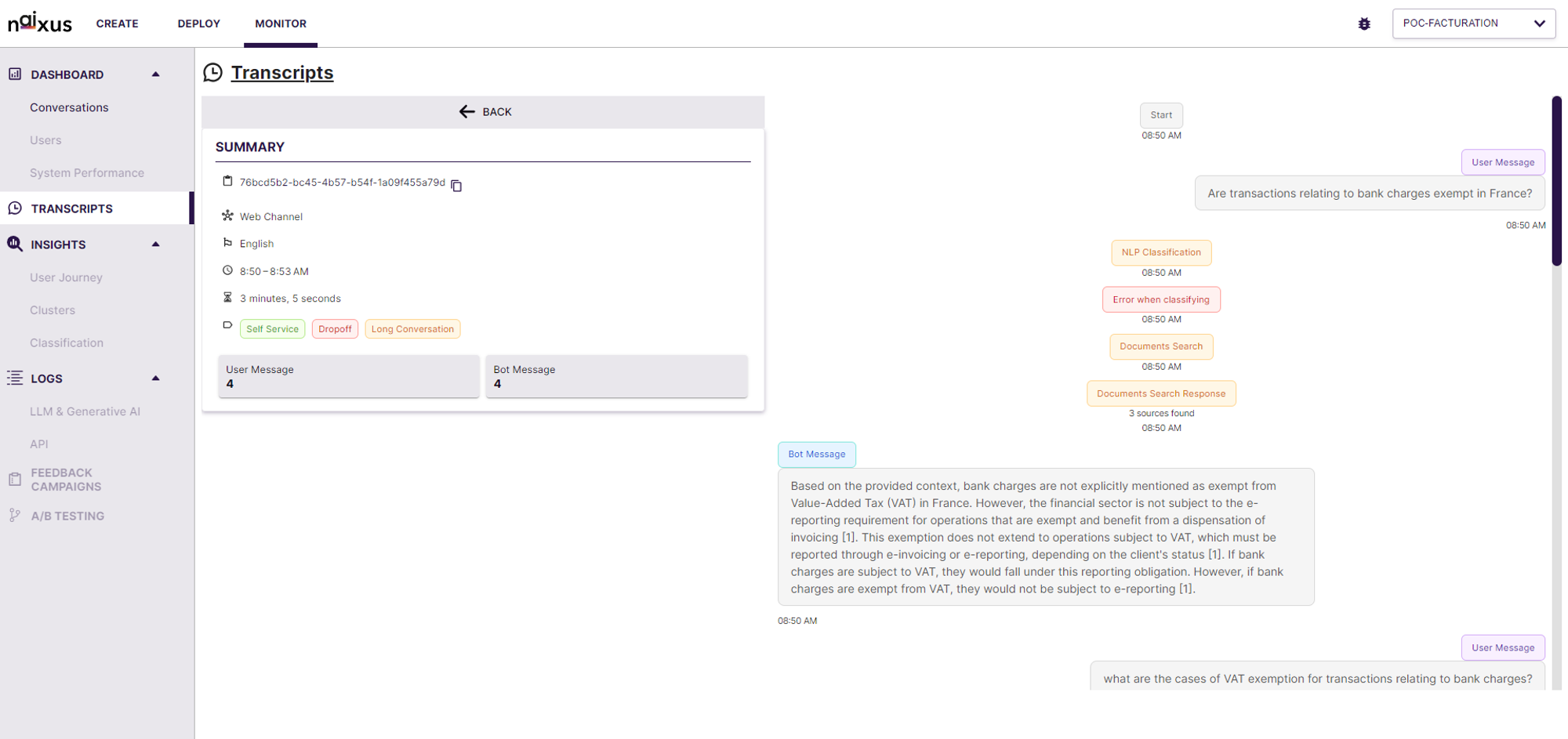
Comprehensive Transcript Overview: Users can view a detailed summary of each conversation, including key details such as the channel (Web), language (English), and duration.
Conversations are categorized by service type (Self Service), status (Dropoff), and conversation length (Short/Long).
-
Event Tracking: Each conversation is broken down into specific events, providing a clear sequence of actions including user messages, NLP classification, document searches, and bot responses.
Errors in classification are highlighted to assist in troubleshooting and improving NLP accuracy.
-
Efficient Navigation: Users can easily expand or collapse conversation details for a streamlined overview.
Direct links to "See Conversation" enable quick access to full conversation transcripts for deeper insights and analysis.
-
Error Handling Insights: The system offers detailed insights into classification errors, helping users understand and resolve issues faster.
Document search responses and bot messages are clearly displayed, providing transparency into the conversation flow and system responses.
Omnichannel Approach
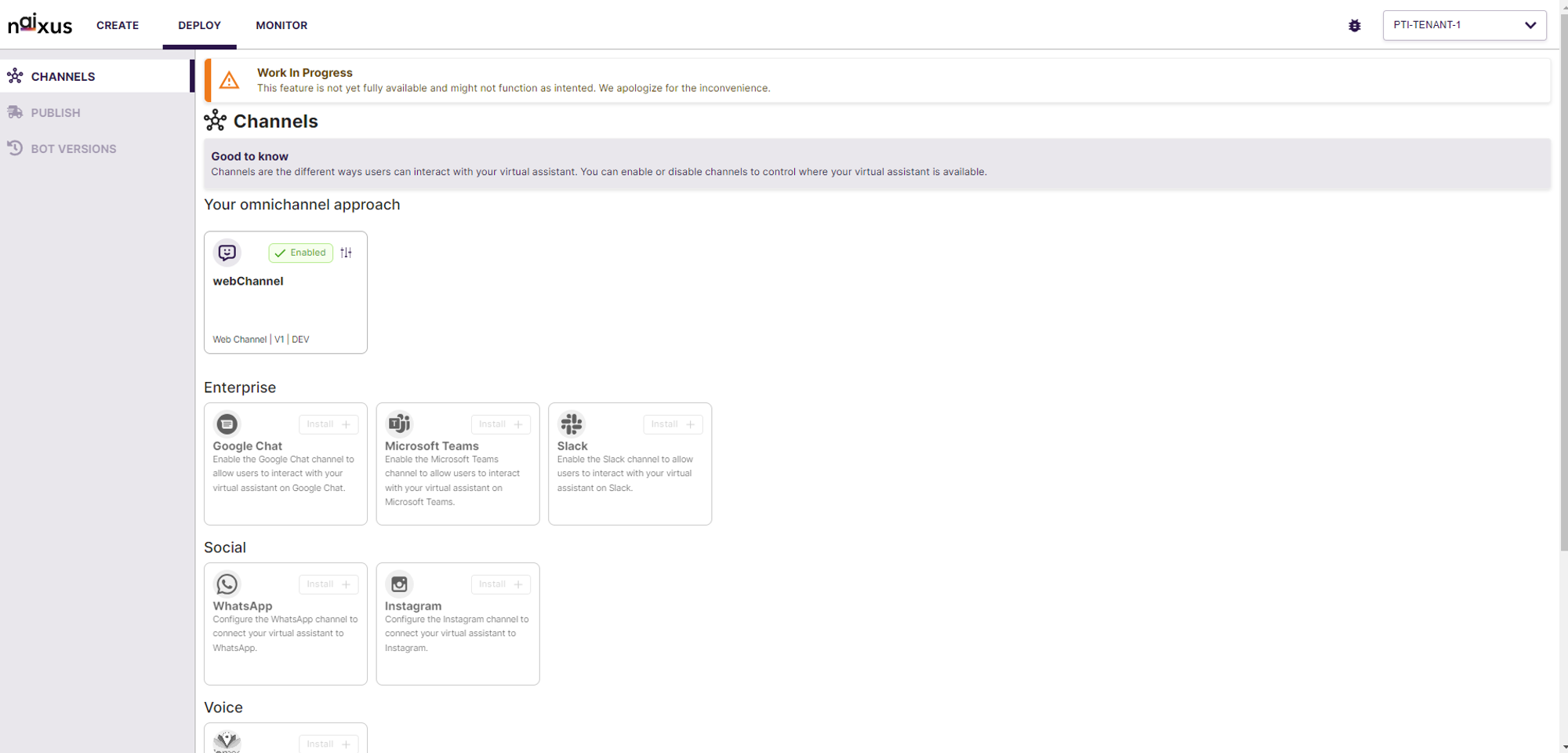
This feature is designed to provide a seamless and integrated experience for managing customer interactions across multiple channels, ensuring that your virtual assistant is available wherever your users are. Enhance the flexibility and reach of your virtual assistant, providing a consistent and integrated experience for your users across various communication platforms.
Key Features of the Omnichannel Approach:
- Comprehensive Channel Management:
- Users can enable and configure multiple channels, including web, enterprise, social, and voice channels, from a single interface.
- Supported channels include Web Widget & Webhook.
- Easy Channel Setup:
- Simplified installation process for enabling new channels, allowing users to quickly add and configure channels.
- Each channel comes with a configuration guide to help users set up and customize their virtual assistant’s presence across different platforms.
- Webchannel Customization Options:
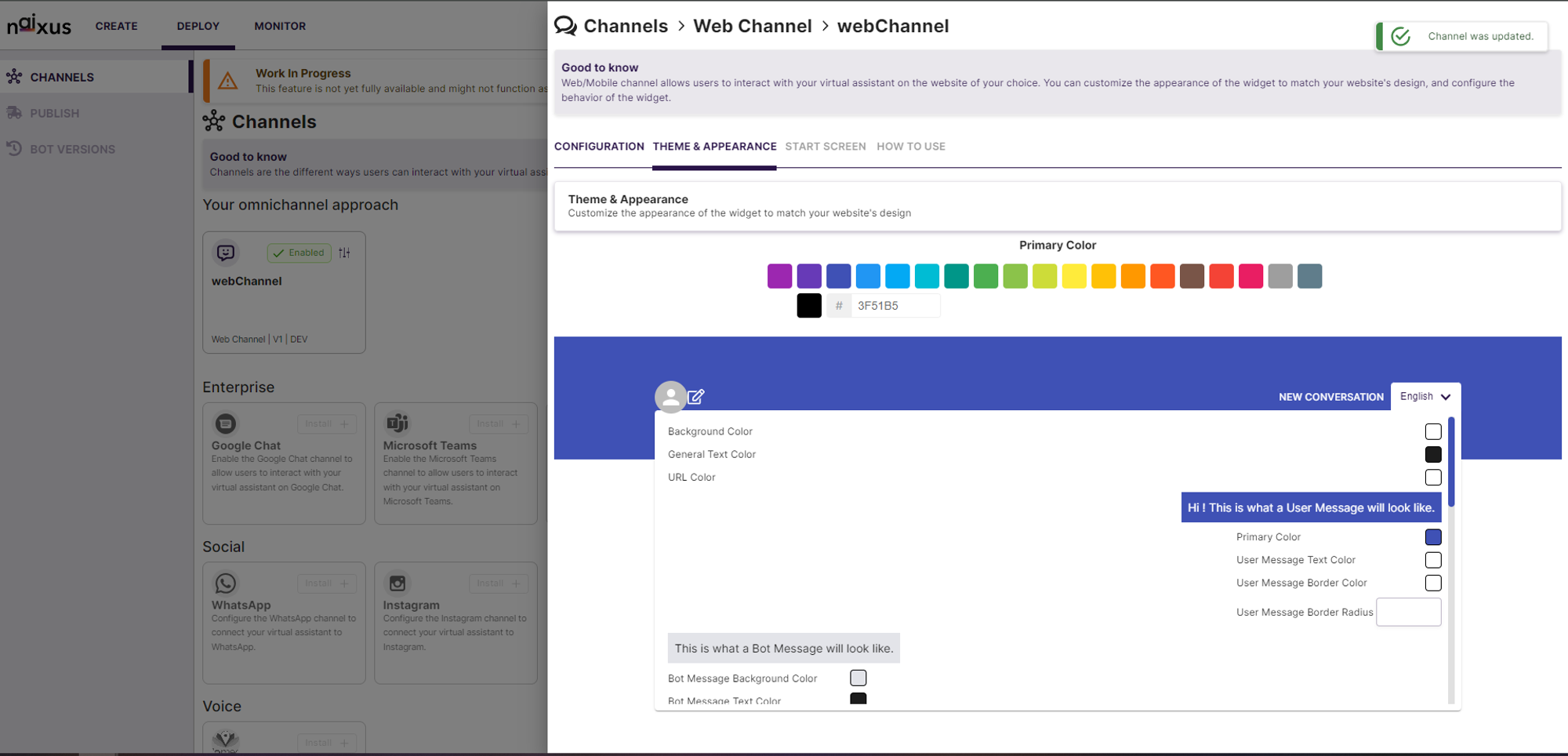
- Customize the appearance of the web channel widget to match your website’s design, including options to change the primary color, background color, text color, and message styles.
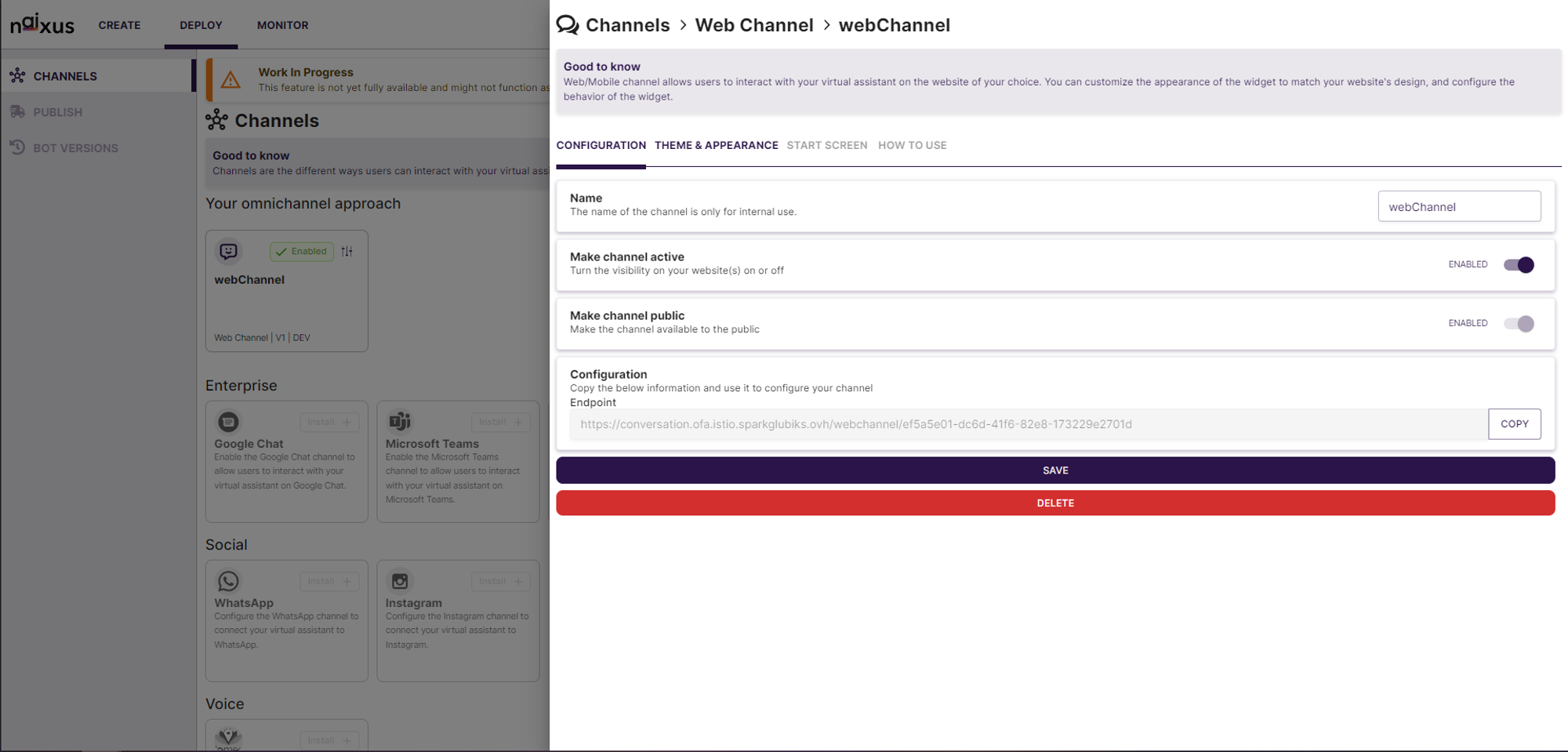
- Configure the visibility and availability of each channel, ensuring that your virtual assistant is accessible to users when needed.
- Real-time Configuration:
- Make changes to channel settings in real-time, with instant updates reflected across all platforms.
- Toggle channel activity and public availability with simple switches, providing flexibility in managing your virtual assistant’s presence.