🚀 1.1.0
· 3 min read


🚀 Features
✨ Statistics
- Can see which scenario have been triggered on a selected timeframe. Not retroactive, it will only starts collecting data from new version onwards
✨ Entities
Detection
- Users can use “Ask Entity” blocks in which they can ask users for certain entities. Recognition is done using IA for NER (named-entity recognition) or by patterns using a list or a regex and store entities extracted from the answer in a variable.
- Available entities are:
- List
- Regex
- Date (NER)
- Time (NER)
- Phone (NER)
- Number (NER)
- Currency (NER)
- Email (NER)
- URL (NER)
- Name (NER)
- Address (NER)
- City (NER)
- Country (NER)
- Location (NER)
- Timezone (NER)
- Language (NER)
Anonymization
- Users can define entities to be anonymized and choose values to replace those in three independent cases: RAG calls, classifier calls or in the DB when the conversation is over.
- Available entities is the same as above.

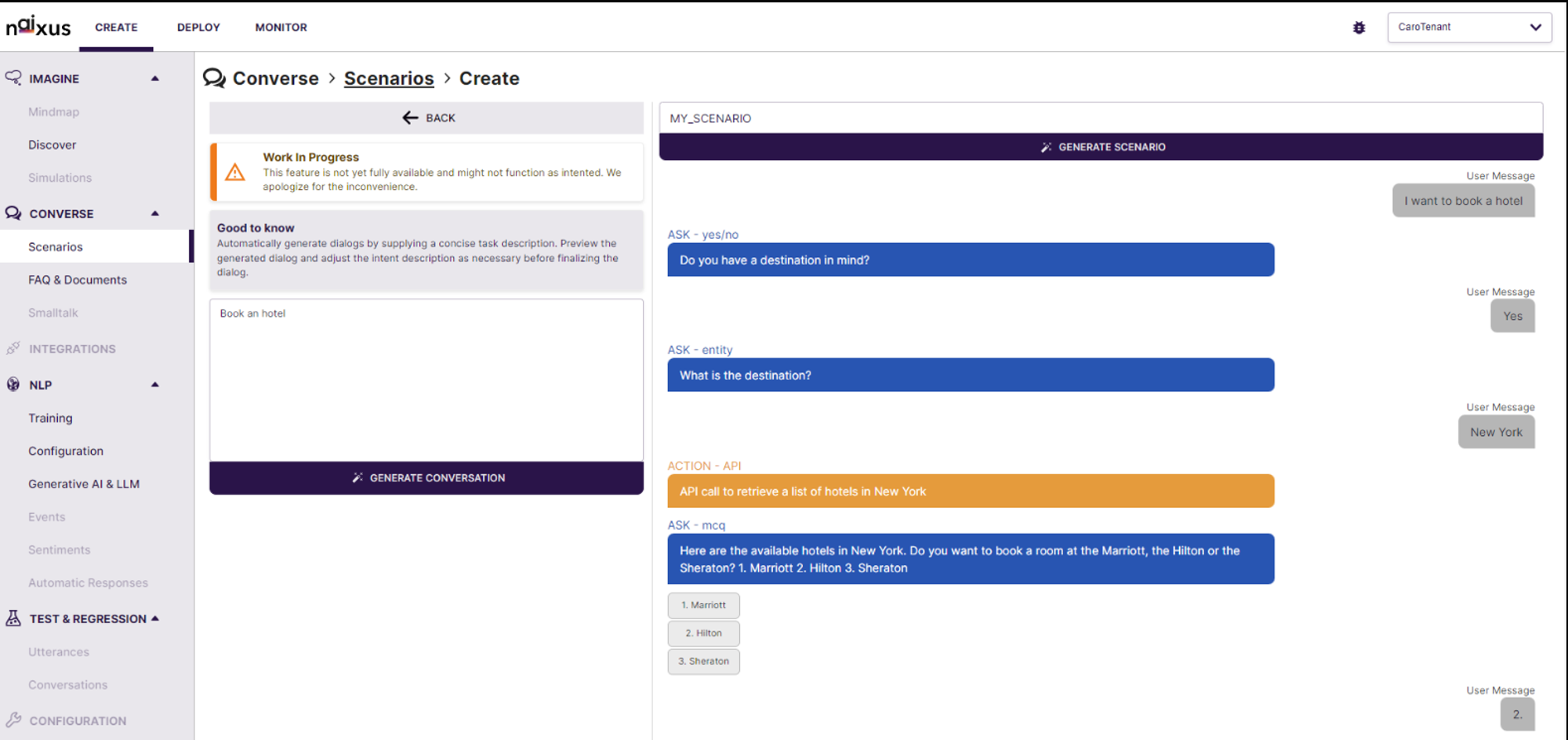
 Generative AI Preview: Leverage cutting-edge Generative AI technology to automatically generate dialogue previews based on specified use cases. This tool helps visualize and optimize the conversation flow before finalizing the scenario, ensuring a more effective user interaction.
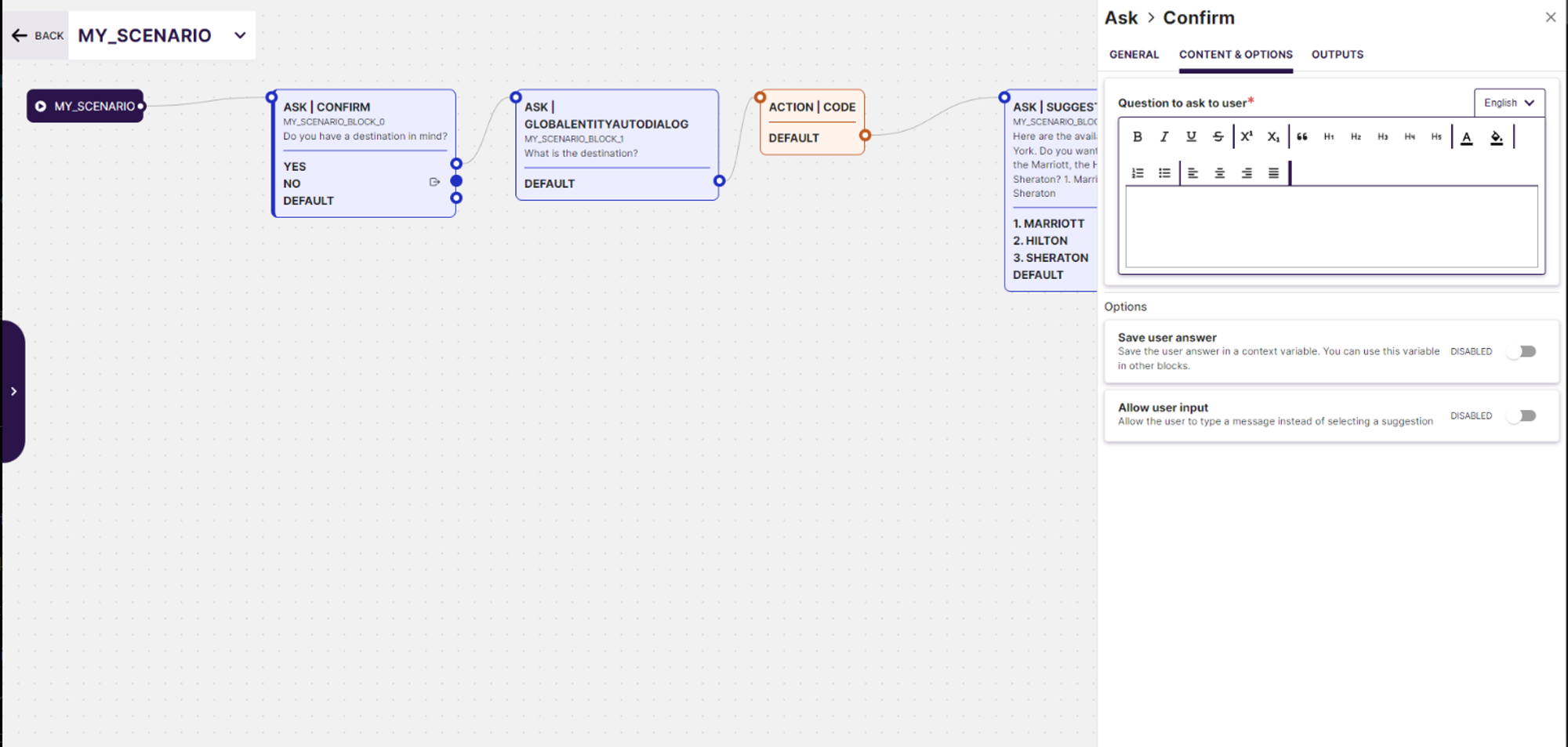
 Real-time Editing and Simulation: The interface provides real-time editing capabilities along with a simulation environment that shows how the AI will interact in various conversation scenarios. Users can immediately test and tweak the generated dialogues, enhancing the development process and ensuring higher accuracy and relevance in real-world applications.