🚀 1.3.0
· 2 min read


🚀 Features
✨ Agents
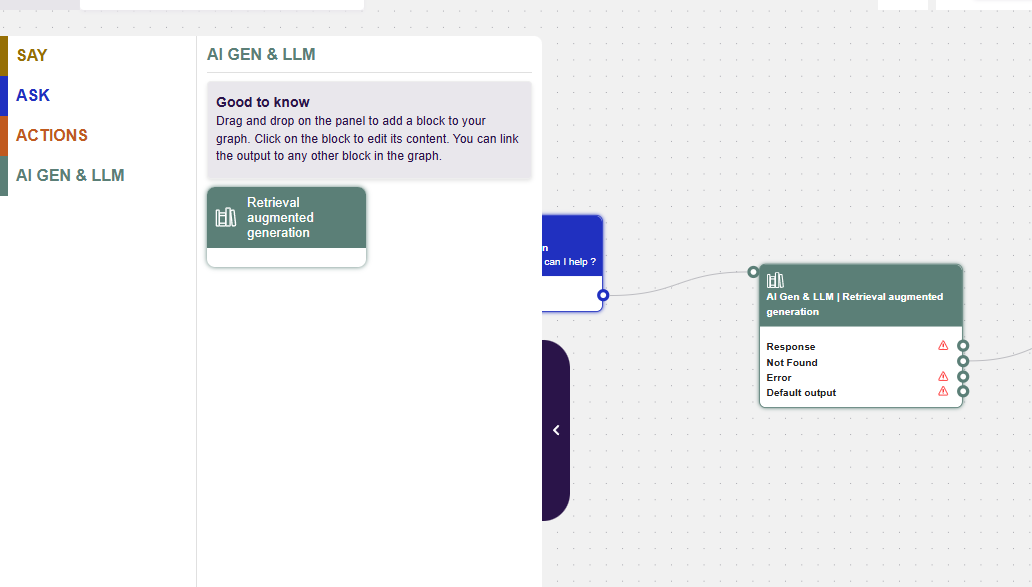
We are welcoming agents to our families of Blocks. We will start with the great Retrieval Augmented Generation block, allowing your to search among any Knowledge Base created in the Knowledge Module.
We hope to later add Reasoning Agents, Redacting Agents, Summarizing Agents, Free-Prompting Agents and much more…
✨ Transcripts Renewed
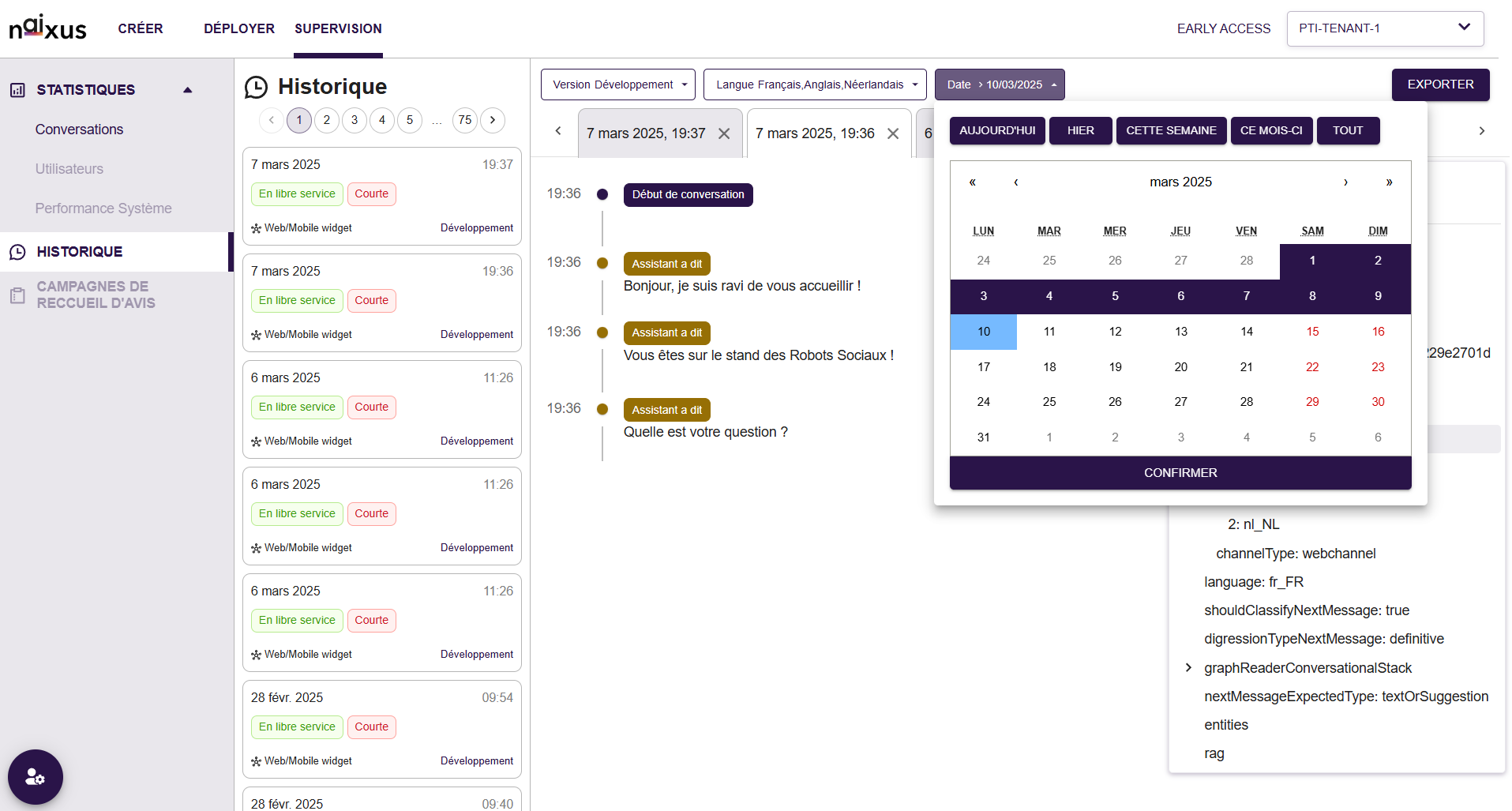
We're excited to introduce the newly redesigned interface, delivering an improved and more intuitive user experience!
What's New:
- Enhanced Historical View: Conversations are clearly organized by date and time, with quick visual indicators showing conversation status, platform used (web/mobile), and service type.
- Interactive Filtering Options: New user-friendly filters allow quick selection of languages, date ranges and release mode, simplifying historical conversation retrieval and analysis.
- Improved Conversation View: Clear visual cues for conversation flow and assistant interactions. Easily identifiable timestamps and detailed interaction indicators.
We look forward to your feedback as you explore this new experience!
✨ Enhanced Webchannel UI
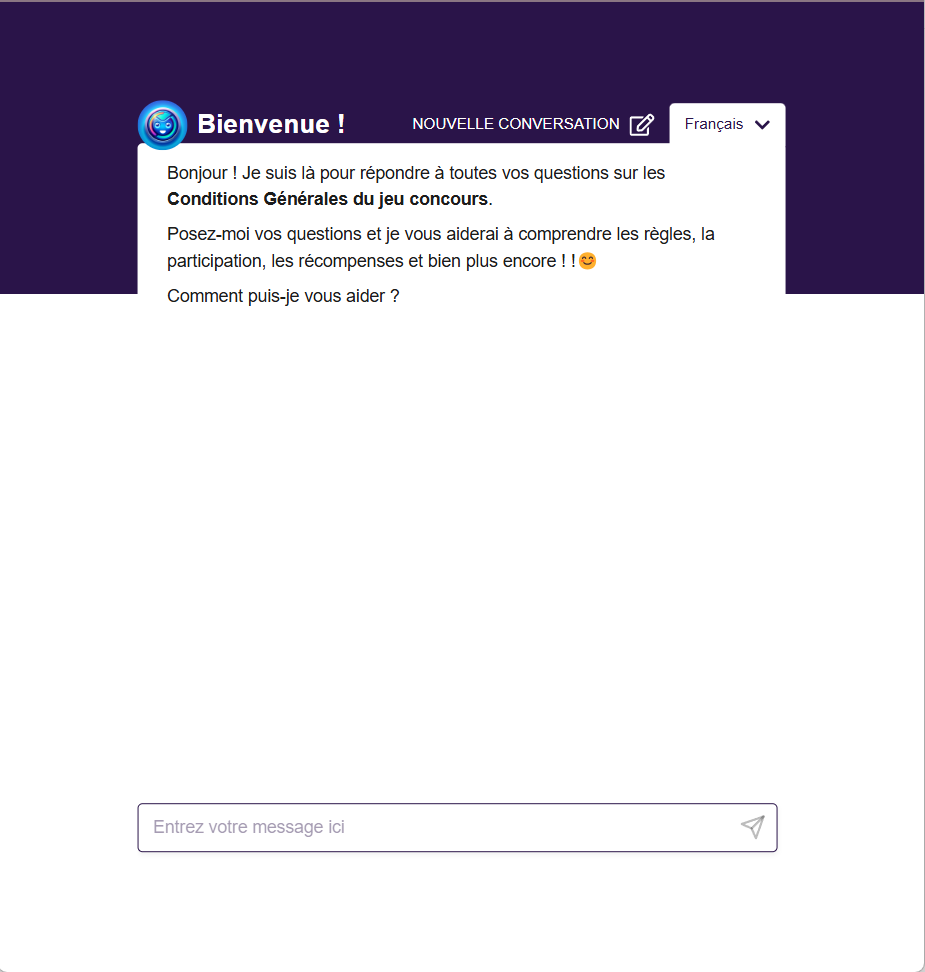
We've updated the Webchannel by removing the “block effect” around assistant messages, creating a cleaner, more modern user experience.
Additional personalization enhancements will follow in a future release.
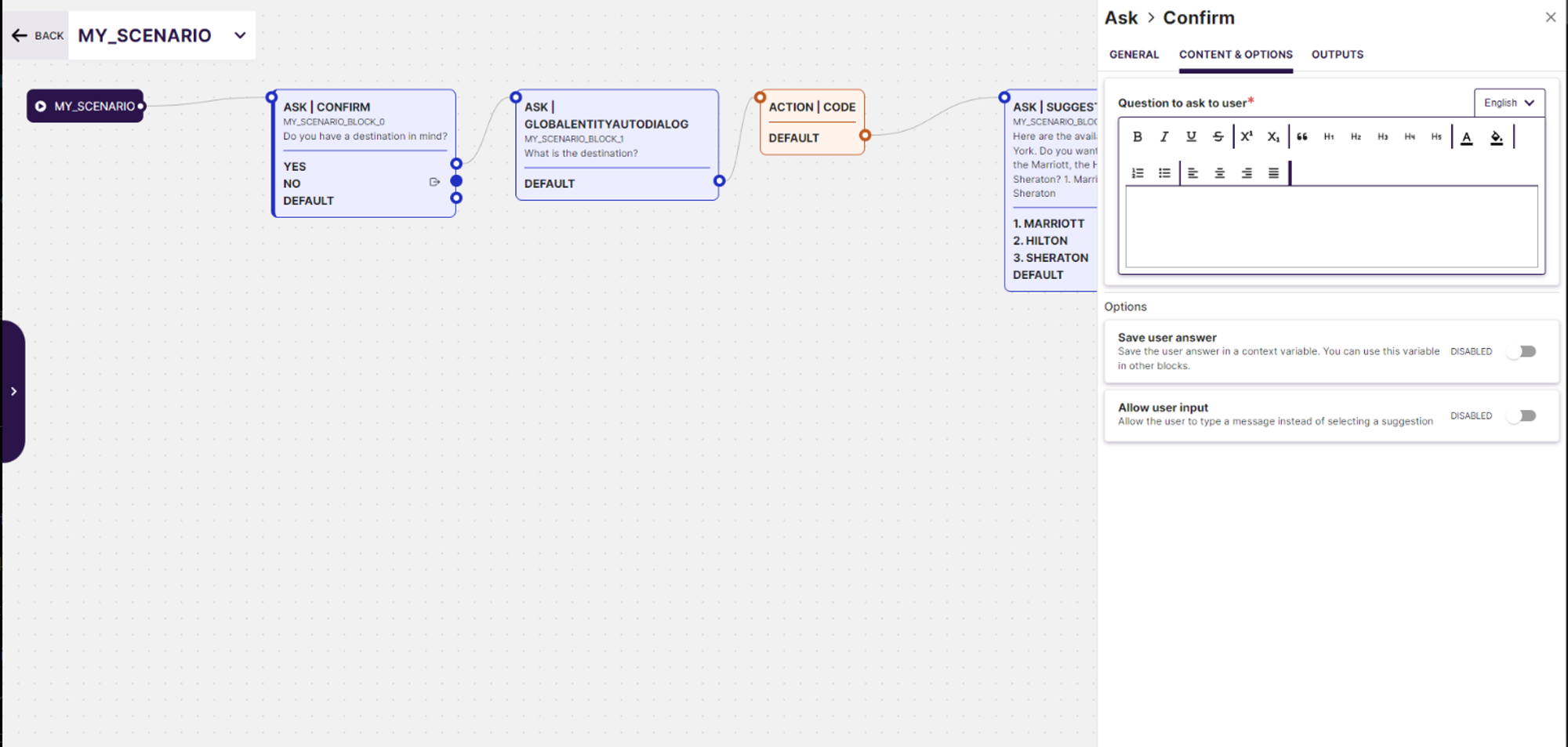 Generative AI Preview: Leverage cutting-edge Generative AI technology to automatically generate dialogue previews based on specified use cases. This tool helps visualize and optimize the conversation flow before finalizing the scenario, ensuring a more effective user interaction.
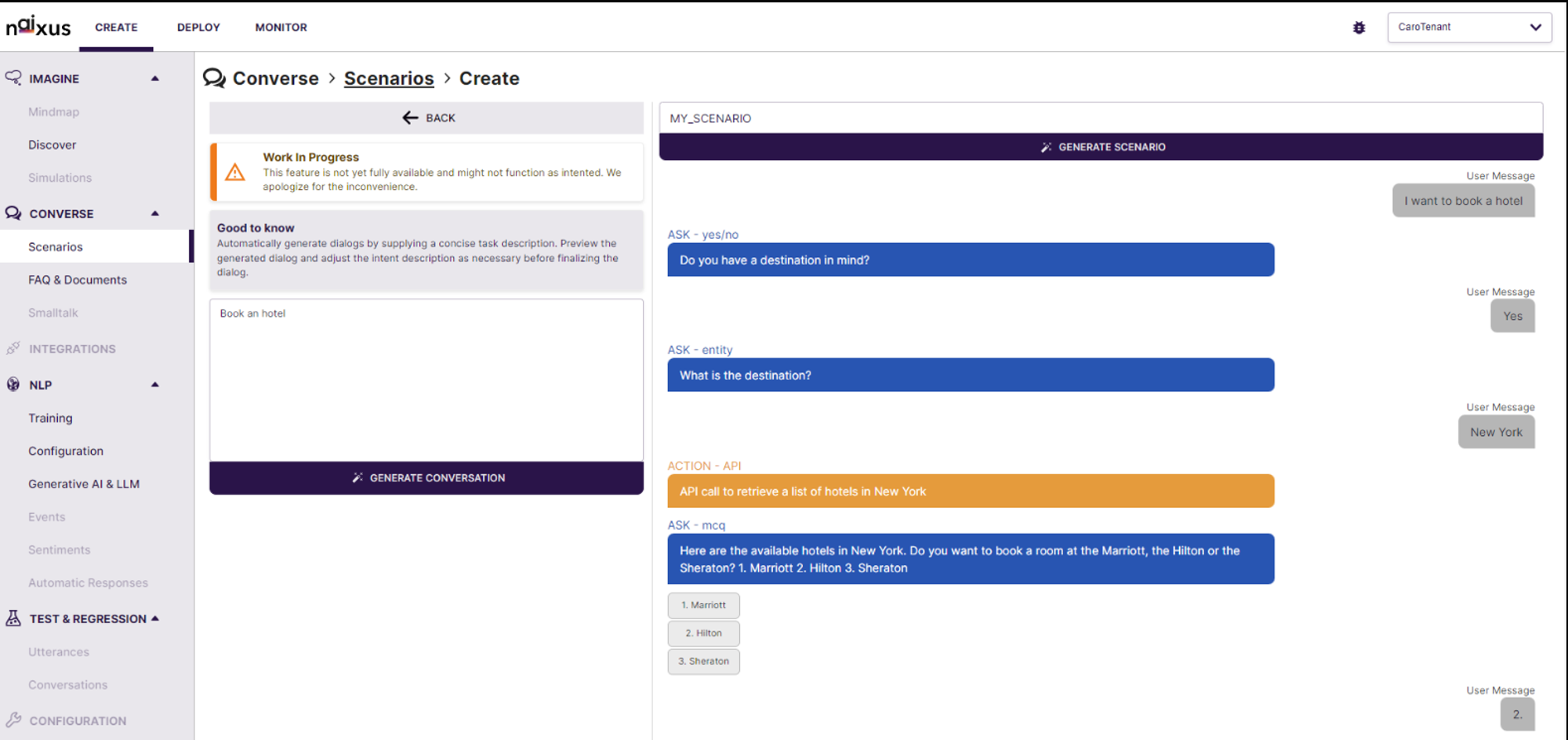 Real-time Editing and Simulation: The interface provides real-time editing capabilities along with a simulation environment that shows how the AI will interact in various conversation scenarios. Users can immediately test and tweak the generated dialogues, enhancing the development process and ensuring higher accuracy and relevance in real-world applications.